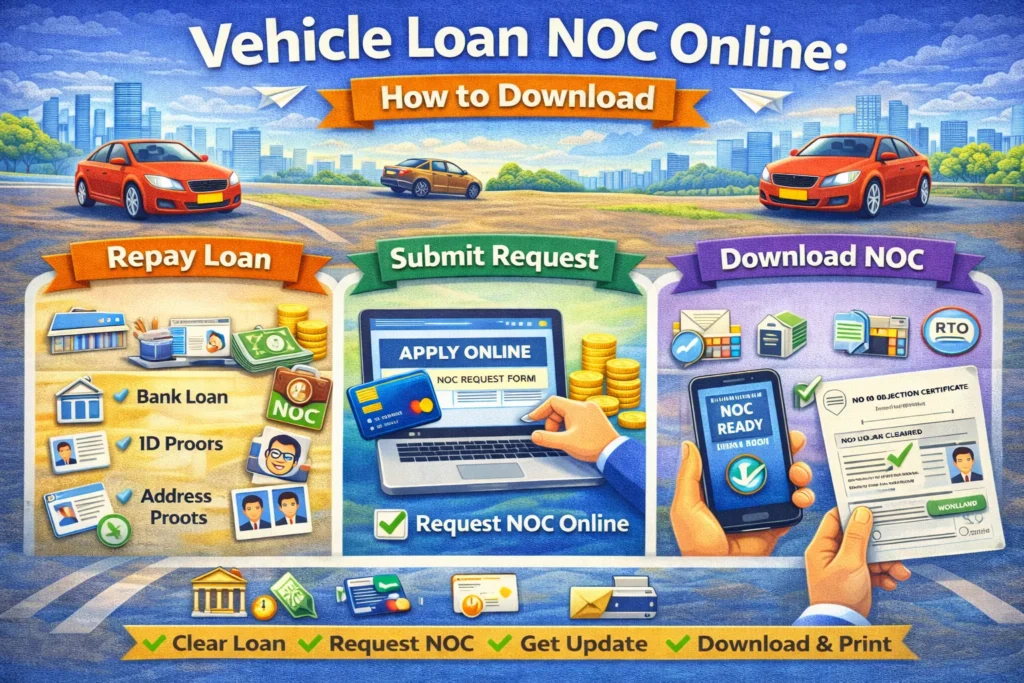
Vehicle Loan NOC Online: How to Download
A Vehicle Loan NOC (No Objection Certificate) is an important document issued by a bank or financial institution upon full repayment of a vehicle loan. It confirms that the lender has no legal claim over the vehicle and allows the owner to remove hypothecation from the Registration Certificate (RC).
If you have completed your car or bike loan, obtaining and updating the Vehicle Loan NOC online is crucial. Without it, the vehicle ownership records will still show the lender’s name.
This complete guide explains what a vehicle loan NOC is, why it is important, the required documents, the step-by-step online process, hypothecation removal, and common issues. Parivahan Seewa
What Is a Vehicle Loan NOC?
A Vehicle Loan NOC is a formal letter issued by a bank or finance company confirming that:
This document is essential for updating vehicle ownership records with the transport authority.
What Is Hypothecation in RC?
When you purchase a vehicle through a loan, the lender’s name is recorded in the RC as “Hypothecated to [Bank/Finance Company Name]”.
This means:
Once the loan is repaid, hypothecation must be removed.
Why Is Vehicle Loan NOC Important?
Obtaining a Vehicle Loan NOC is important because:
Without NOC, the vehicle legally remains under the lender’s interest.
Documents Required for Vehicle Loan NOC
To download or collect NOC, keep the following ready:
From Bank or Finance Company
For Hypothecation Removal
Requirements may vary slightly by state.
How to Download Vehicle Loan NOC Online
Many banks and finance companies allow online NOC download.
Step 1: Visit the Bank’s Official Website
Go to your lender’s official website or mobile banking app.
Step 2: Log in tothe Loan Account
Enter registered mobile number or loan account credentials.
Step 3: Navigate to the Loan Closure Section
Select the “Closed Loans” or “Loan Statements” section.
Step 4: Download NOC Document
Download the digitally signed NOC in PDF format.
Step 5: Verify Details
Check vehicle number, loan account number, and your name for accuracy.
If online download is unavailable, visit the nearest branch.
Vehicle Loan NOC Offline Process
If the online facility is not available:
Processing time may vary.
How to Remove Hypothecation from RC Online
After receiving the NOC, you must update RC records.
Step 1: Visit the Official Transport Portal
Access the official transport services website.
Step 2: Select Hypothecation Termination Service
Choose the option for “Termination of Hypothecation.”
Step 3: Enter Vehicle Details
Provide registration number and required details.
Step 4: Upload Required Documents
Upload: Vehicle Loan NOC,
Form 35 (if required), Insurance copy
Step 5: Pay Applicable Fees
Pay processing charges online.
Step 6: Visit RTO (If Required)
Some cases require physical document verification.
Step 7: Receive Updated RC
After approval, RC is updated, removing the lender’s name.
Fees for Hypothecation Removal
Fees depend on:
Generally, hypothecation removal charges are minimal.
How Long Does It Take?
Processing time varies by bank and RTO workload.
Common Issues in Vehicle Loan NOC Process
Delay in NOC Issuance
Some lenders take time to update the loan closure status.
Incorrect Details in NOC
A mismatch in the vehicle number or name can delay the RC update.
Pending Charges
Foreclosure charges or pending EMIs may block NOC issuance.
Lost NOC
Request a duplicate NOC from the bank immediately.
Tips for Smooth Hypothecation Removal
Can You Sell a Vehicle Without a Loan NOC?
No. A vehicle with active hypothecation cannot legally be transferred to a new owner unless:
Always complete hypothecation removal before selling.
Frequently Asked Questions (FAQs)
Final Words
A Vehicle Loan NOC is a crucial document after completing your car or bike loan. It ensures that your vehicle ownership record is legally clear and free from lender claims.
Downloading the NOC online and completing hypothecation removal promptly protects you from future complications, especially during resale or ownership transfer. Always follow official procedures and keep copies of all documents safely for future reference.